JavaScript Temporal API — finally fixing 30 years of Date pain
- Temporal is JavaScript’s new standard date/time API with immutable objects, first-class time zones, Duration, and separate types for separate jobs.
- It already ships in Firefox 139 and Chrome 144, and it was approved for Stage 4 at the March 2026 TC39 meeting, making it part of ECMAScript 2026.
- In production, the most important pattern is storing UTC as Instant and converting to ZonedDateTime or PlainDateTime only for user input and display.
TL;DR
JavaScript finally has a proper date/time API. Temporal is a new standard built around immutable objects, native time zone handling, built-in Duration, and separate types for separate use cases. Firefox 139 (May 2025) and Chrome 144 (January 2026) already ship it, and Temporal was approved for Stage 4 at the March 2026 TC39 meeting, locking it into ECMAScript 2026. There is also a polyfill, so you can start using it in real work now.
Why date and time have stayed so painful for so long
If you have worked with dates in JavaScript, you have probably hit the same progression many teams go through. First you try to survive with the built-in Date. Then one timezone bug lands in production, so you add Moment.js. Then bundle size becomes a problem, so you move to day.js. Then TypeScript ergonomics push you toward Luxon. I have gone through a similar cycle more than once.
But looking back, the real problem was never just library choice. The deeper issue was Date itself. For years, we were patching over a weak foundation with better tooling.
The classic problems with Date are well known:
- it is mutable, so methods like
setDate()silently change the original object - months are zero-based (
0 = January) - date, time, timezone, and absolute UTC instants are mixed into one type
- IANA time zones such as
Asia/SeoulorAmerica/New_Yorkare not first-class - there is no proper duration type
- DST transition logic is awkward and easy to get wrong
The API arrived in a rush in 1995, then sat at the center of the web for nearly 30 years. Considering that, it is not surprising the JavaScript date-library ecosystem grew as large as it did.
What Temporal is
Temporal is JavaScript’s new date/time API. Like Math or Intl, it is exposed as a global namespace object, and it separates date/time work into purpose-specific types. Just as importantly, every Temporal object is immutable.
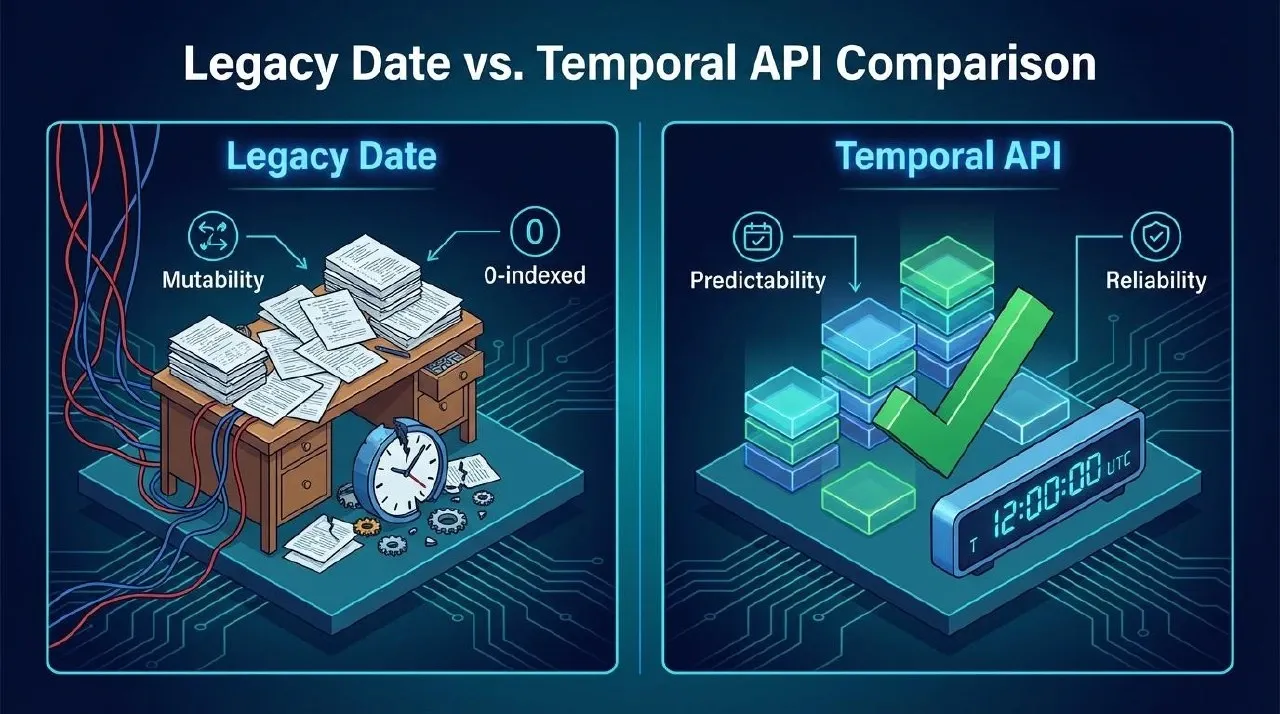
That design matters because the type itself communicates intent. If a function accepts PlainDate, the code is saying, “this logic does not need a timezone.” If you are handling a global meeting schedule, the code should use ZonedDateTime, and that requirement becomes explicit instead of hidden in convention.
Temporal’s core types
| Type | Purpose |
|---|---|
Temporal.PlainDate | Date only — birthdays, holidays |
Temporal.PlainTime | Time only — “every day at 9:00 AM” |
Temporal.PlainDateTime | Date + time, but no timezone |
Temporal.ZonedDateTime | Date + time + timezone — global meetings, local wall-clock time |
Temporal.Instant | Absolute UTC instant — server timestamps |
Temporal.Duration | Length of time / duration |
Temporal.Now | Utilities for getting current time |
This split prevents a surprising number of bugs. Date tried to be too many things at once, and that is exactly why developer intent and runtime behavior kept drifting apart.
Core API patterns
Temporal has several types, but the usage model is consistent:
- create with
from() - update selected fields with
with() - do math with
add()/subtract() - calculate differences with
until()/since() - compare with
equals()/compare()
The important part is that every operation returns a new object.
const today = Temporal.PlainDate.from("2026-03-12");
const nextMonth = today.add({ months: 1 });

console.log(today.toString());     // 2026-03-12
console.log(nextMonth.toString()); // 2026-04-12
console.log(today.month);          // 3
console.log(today.dayOfWeek);      // 4 (1 = Monday)
console.log(today.daysInMonth);    // 31
If you are used to Date, this still feels refreshingly different. Nothing quietly mutates under your feet, which makes Temporal much easier to use in functional code and state-management flows.
Computing differences between dates is also straightforward.
const start = Temporal.PlainDate.from("2025-01-01");
const end = Temporal.PlainDate.from("2026-03-12");
const diff = start.until(end, { largestUnit: "year" });

console.log(`${diff.years} years ${diff.months} months ${diff.days} days`);
// 1 years 2 months 11 days
Comparison is explicit too.
dates.sort(Temporal.PlainDate.compare);
a.equals(b); // boolean
One interesting design decision is that valueOf() intentionally throws a TypeError. In practice that means ambiguous arithmetic comparisons like > and < are blocked. It can look slightly inconvenient at first, but it is a very good tradeoff for long-term safety.
Time zones and DST: the real reason Temporal matters
Temporal becomes especially compelling when time zones and daylight saving time enter the picture.
With legacy Date, you usually had to calculate offsets manually or rely on a separate library stack. Temporal.ZonedDateTime, by contrast, treats the IANA time zone database as a native concept.
const seoulTime = Temporal.ZonedDateTime.from(
  "2026-03-12T14:30:00[Asia/Seoul]"
);

const nyTime = seoulTime.withTimeZone("America/New_York");

console.log(seoulTime.toString());
console.log(nyTime.toString());
The API handles the offset math for you. Questions like “what time is 2:30 PM in Seoul when shown in New York?” finally become first-class operations instead of awkward glue code.
DST transition days are even more impressive.
const dt = Temporal.ZonedDateTime.from({
  timeZone: "America/New_York",
  year: 2026,
  month: 3,
  day: 8,
  hour: 1,
});

console.log(dt.hoursInDay); // 23
console.log(dt.add({ hours: 1 }).toString());
March 8, 2026 in New York is a DST transition day, so that day has 23 hours instead of 24. Properties like hoursInDay make that reality visible, and time arithmetic adjusts correctly in local time.
This is not just convenient. It reduces exactly the kind of bugs that keep appearing in global products, booking systems, reminders, notifications, and meeting scheduling features.
The most important production pattern
In real systems, one rule alone delivers most of Temporal’s value:
Store data on the server as Instant in UTC, then convert to the appropriate type for user input and display.
Database storage usually looks like this.
const now = Temporal.Now.instant();
const dbValue = now.toString();
// 2026-03-12T05:30:00Z
Then you attach a timezone only when you need to render it for a user.
const userTimeZone = "America/New_York";
const fromDb = Temporal.Instant.from(dbValue);

const local = fromDb.toZonedDateTimeISO(userTimeZone);

console.log(
  local.toLocaleString("en-US", {
    year: "numeric",
    month: "long",
    day: "numeric",
    hour: "2-digit",
    minute: "2-digit",
  })
);
Going the other direction is just as important. If the user enters “March 15, 2026 at 3:00 PM,” the natural flow is to parse that as PlainDateTime, combine it with the user’s timezone, then convert it into an Instant before sending it to the server.
const userInput = Temporal.PlainDateTime.from({
  year: 2026,
  month: 3,
  day: 15,
  hour: 15,
});

const toServer = userInput
  .toZonedDateTime("America/New_York")
  .toInstant()
  .toString();

console.log(toServer);
// 2026-03-15T19:00:00Z
That pattern matters because it cleanly separates “local wall-clock time” from “absolute instant in time.” A lot of timezone bugs come from mixing those two ideas.
Showing one meeting across multiple time zones
A common global-product pattern also becomes easy to express.
const meeting = Temporal.Instant.from("2026-03-15T19:00:00Z");

const times = [
  "America/New_York",
  "Europe/London",
  "Asia/Seoul",
  "Asia/Tokyo",
].map((tz) => ({
  city: tz.split("/")[1],
  time: meeting.toZonedDateTimeISO(tz).toLocaleString("en-US", {
    hour: "2-digit",
    minute: "2-digit",
    timeZoneName: "short",
  }),
}));

console.log(times);
That gives you one canonical Instant, then safely derives each city’s local time from it. Once regions with different DST schedules get involved, manual handling almost always goes wrong. Temporal fixes that at the API layer.
Recurring schedules stay stable across DST
Recurring events such as “every Monday at 9:00 AM” are another place where Temporal shines.
const firstMonday = Temporal.ZonedDateTime.from({
  timeZone: "America/New_York",
  year: 2026,
  month: 3,
  day: 2,
  hour: 9,
});

const nextMonday = firstMonday.add({ weeks: 1 });

console.log(firstMonday.toString());
console.log(nextMonday.toString());
console.log(nextMonday.hour); // 9
Even though DST starts on March 8, 2026, the next Monday at 9:00 AM is still 9:00 AM. If you build recurring schedules with millisecond math on top of Date, one-hour drift bugs are painfully common. Temporal reduces that risk by giving you a different type and a better arithmetic model.
Put simply, most real-world timezone handling falls into this flow:
- store as
Instant - display with
.toZonedDateTimeISO(userTimeZone) - accept user input as
PlainDateTime -> ZonedDateTime -> Instant
Are date libraries basically over now?
Not completely. Real codebases are already built on Date and existing libraries, and frameworks or third-party packages will not all switch at once.
Still, the center of gravity is likely to change. For a long time, the default assumption was “JavaScript dates are bad, so we need day.js or Luxon.” Now the question increasingly becomes “can the standard API handle this already?” That is a meaningful shift. As native browser support grows, dependency weight, learning cost, and date-library decision fatigue should all shrink.
Personally, it feels like the long argument that started after Moment.js — “which date library should we choose?” — may finally have a real end.
Standardization and browser support
Temporal was formally approved for Stage 4 at the March 2026 TC39 meeting, which places it in the ECMAScript 2026 specification. At this point it is no longer just a future-facing proposal. It has effectively arrived.
- Firefox 139+ ships it
- Chrome 144+ ships it
- Edge 144+ inherits support through Chromium
- Safari still needs careful verification because support is more limited
So this is no longer an “eventually” API. Standardization is done, and major implementations are already here.
For environments that still lack support, you can adopt it today with a polyfill.
import "temporal-polyfill/global";

const today = Temporal.Now.plainDateISO();
console.log(today.toString());
That gives you the same API surface even in unsupported browsers such as Safari, though you should still validate the bundle strategy and target-runtime assumptions for your own project.
A realistic adoption strategy
There is no need to rewrite every Date call in your codebase tomorrow. A gradual migration is better.
- Use Temporal in new features first
- Prioritize areas that often suffer from timezone or DST bugs
- Normalize server storage around
Instant - Split UI input into
PlainDate,PlainTime, andPlainDateTime - Wrap legacy
Dateboundaries with adapter functions
That approach keeps risk low while letting you feel the benefits early.
Closing thoughts
Temporal is more than a new API. It is a real shift in how JavaScript handles date and time. Immutability, type separation, and native time zone support finally bring the standard library closer to what developers have been reaching for through libraries for over a decade.
Date survived for far too long, and developers spent far too long working around it. The success of Moment, day.js, Luxon, and date-fns says something good about the ecosystem, but it also says the standard API was never good enough.
If you have ever debugged timezone issues in a global product, the existence of ZonedDateTime alone feels like relief. Safari support still deserves caution, but with the polyfill available, Temporal is already worth considering for new projects and for the parts of existing systems where date/time bugs keep recurring.
Temporal feels like JavaScript finally paying down one of its oldest pieces of technical debt.